




Tap to Ten icon

Tap to Ten

Genre:
Updated:
Feb 03, 2026
Release:
Feb 03, 2026
Platforms:
Browser, Mobile

Instructions

Select tiles to add up to exactly 10! Tap a tile to select it. Once you select your first tile, you can only select tiles next to that tile. However, you can select as many tiles as you want. If you select tiles that add up to more than 10, the tiles will be outlined in red, and you'll need to tap some of the tiles you have selected to deselect them. You can also tap a tile to deselect if you are having trouble finding other tiles nearby to add up to 10.

The more tiles you use, the more points you'll earn! Fill up the bar at the top of the screen to move to the next level.
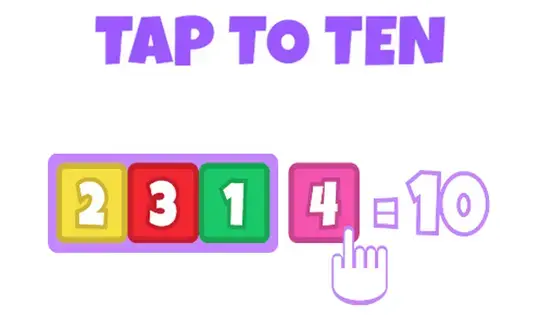
Select tiles to add up to exactly 10! Click on a tile to select it. Once you select your first tile, you can only select tiles next to that tile. However, you can select as many tiles as you want. If you select tiles that add up to more than 10, the tiles will be outlined in red, and you'll need to click some of the tiles you have selected to deselect them. You can also click a tile to deselect if you are having trouble finding other tiles nearby to add up to 10.

The more tiles you use, the more points you'll earn! Fill up the bar at the top of the screen to move to the next level.

Game Progress

0 XP
Genre:
Updated:
Feb 03, 2026
Release:
Feb 03, 2026
Platforms:
Browser, Mobile

Instructions

Select tiles to add up to exactly 10! Tap a tile to select it. Once you select your first tile, you can only select tiles next to that tile. However, you can select as many tiles as you want. If you select tiles that add up to more than 10, the tiles will be outlined in red, and you'll need to tap some of the tiles you have selected to deselect them. You can also tap a tile to deselect if you are having trouble finding other tiles nearby to add up to 10.

The more tiles you use, the more points you'll earn! Fill up the bar at the top of the screen to move to the next level.

Select tiles to add up to exactly 10! Click on a tile to select it. Once you select your first tile, you can only select tiles next to that tile. However, you can select as many tiles as you want. If you select tiles that add up to more than 10, the tiles will be outlined in red, and you'll need to click some of the tiles you have selected to deselect them. You can also click a tile to deselect if you are having trouble finding other tiles nearby to add up to 10.

The more tiles you use, the more points you'll earn! Fill up the bar at the top of the screen to move to the next level.